
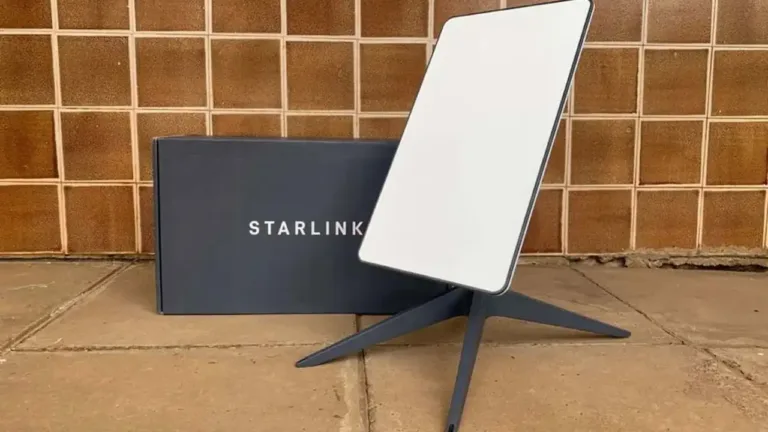
Your Starlink replacement dish isn’t showing up. You paid for it, two weeks went by, the tracking number hasn’t budged, and support keeps sending automated replies that don’t address the issue. You’re not alone — this happens more often than Starlink cares to admit, and it’s not limited to any particular region.
This guide walks you through exactly what to do when a Starlink replacement never arrives. These aren’t guesses — they’re based on Starlink’s official warranty terms and real cases from users who went through the same mess. The goal: get your equipment or your money back without burning weeks in the AI support loop.
Starlink offers a 12-month limited warranty on Standard kits worldwide (24 months in the EU and UK). According to its own legal document, the company must resolve confirmed failures within 30 days. But when the system can’t tell the difference between an original order and a warranty replacement, that timeline stretches and the user gets stuck in limbo.
Steps to claim a Starlink replacement that never arrived
Check your order status in your account
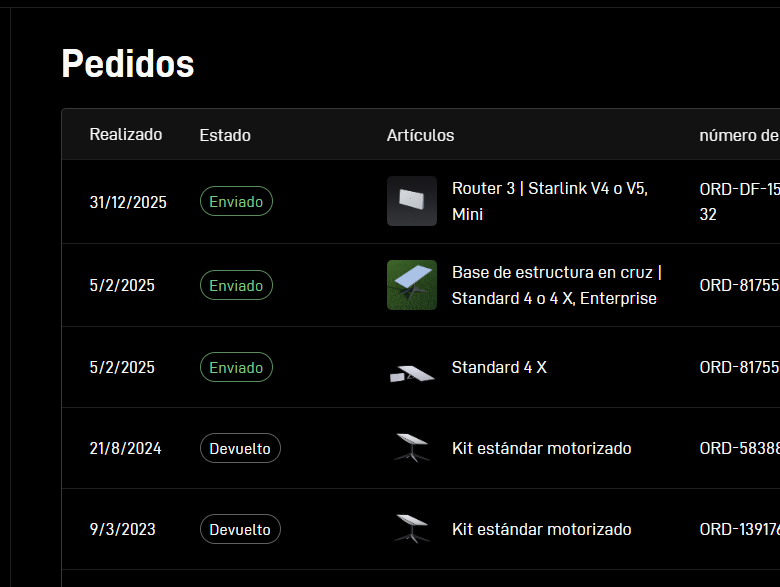
Go to starlink.com, sign in, and navigate to the Orders section. Check that the tracking number matches the replacement order, not the original kit. You can also do this in the mobile app under Orders. If the tracking hasn’t updated in a week, something’s off.
Check your email (including spam)
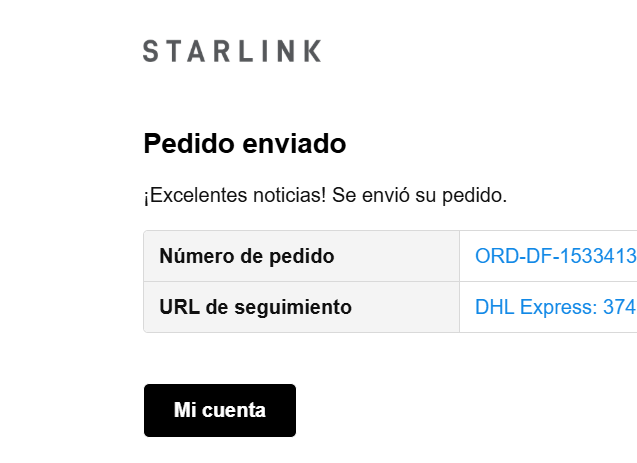
Starlink sends the prepaid return label via email with the subject line “Your Starlink Return.” If it’s not there, you can download it from the desktop portal on the Order Summary page. Without that label, you can’t return the damaged equipment — and if you don’t return it, Starlink charges you for the replacement.

Open a support ticket if it’s been more than 2 weeks
Starlink officially says shipments take up to two weeks. If that window passed, open a ticket in the app or at support.starlink.com. Be specific: “This is a WARRANTY REPLACEMENT, not a new order. Payment was authorized but the equipment hasn’t arrived. The tracking number shows no progress.” Attach photos of the original damage and screenshots of the tracking status.
Insist on talking to a human
Starlink’s AI support isn’t built for cases where the original shipment and the replacement are separate things. Reply to the ticket asking for escalation to a real agent. Mention that your card was already charged and you haven’t received the equipment. In user communities, this is consistently what breaks the loop.
Use the new kit box to return the damaged one
If the replacement finally arrives, keep the box. Starlink requires the damaged equipment to be returned in its original packaging. If you no longer have it, you can use the replacement kit’s box. Important: remove or cover the serial number on the new box before using it for the return, or you could run into warranty issues.
Warnings and recommendations
This isn’t optional: if you don’t return the damaged equipment, Starlink will charge you the full cost of the replacement. It’s in their limited warranty, and they enforce it.
- Don’t use third-party power adapters. Starlink runs on a specific voltage, and a generic one can fry your equipment. Opening or modifying the hardware voids the warranty.
- The replacement is only covered for 3 months or the remainder of the original warranty period, whichever is longer. It’s not a fresh warranty cycle.
- If the damage isn’t covered (hail, misuse, accident), Starlink can charge you for the replacement. Check the limited warranty first before assuming coverage.
- Shipping times to remote areas can take longer. Users report between 3 and 6 weeks for replacements to arrive in some regions. Be prepared to wait, but don’t stop following up.
- Phone support availability varies by country. Most support is handled through the app or web portal in English.
If your damage isn’t covered by warranty: you can buy replacement parts at the Starlink shop (cables, mounts, ethernet adapters, routers). However, for Standard Actuated, Standard 4, and Standard 4 X kits, individual parts aren’t available — you’ll need to contact support.
Last resort: if you paid for a replacement that never arrived and Starlink doesn’t respond after several weeks, dispute the charge with your bank. It’s not ideal, but when Starlink’s AI support can’t understand your case, it’s sometimes the only way out.
The key is to never give up after the first support ticket and to document everything: case numbers, card charges, tracking screenshots. Starlink built an impressive network in the sky. On the ground, customer support is a different story. But with these steps, you stand a much better chance of actually getting your replacement.
Más guías en: Soporte y problemas comunes
Aviso: La información en MiStarlink es de carácter informativo y puede no estar actualizada. Verifica los datos con las fuentes oficiales de Starlink.